Katana Agent
Self-hosted AI agents with centralized Obsidian memory. Install once, use everywhere.
What is Katana? #
Katana is a self-hosted AI agent system that installs into any CLI agent (Claude Code, Codex, KiloCode, Gemini, Cursor, Windsurf). Your skills, commands, and memory follow you across every project. Data never leaves your machine.
| Feature | Description |
|---|---|
| Centralized Memory | Obsidian vault shared across all projects |
| Portable Skills | Drop skills into any agent folder |
| Multiple Agents | Works with Claude, Codex, Gemini, Cursor, and more |
| Self-Hosted | 100% private - your data stays local |
Installation #
npm install -g katana-agentQuick Start #
Get up and running in 30 seconds:
# 1. Create your memory vault (one time)
katana memory init

# 2. Open ~/.katana/memory/ in Obsidian (optional)

# 3. Drop your agent into any project
katana init
Or initialize for a specific CLI agent:
katana claude init    # Claude Code
katana kilocode init  # KiloCode
katana codex init    # OpenAI Codex
katana generic init # Gemini, Cursor, Windsurf, anything~/.katana/. That includes memory, commands, and default settings.Interactive Installer #
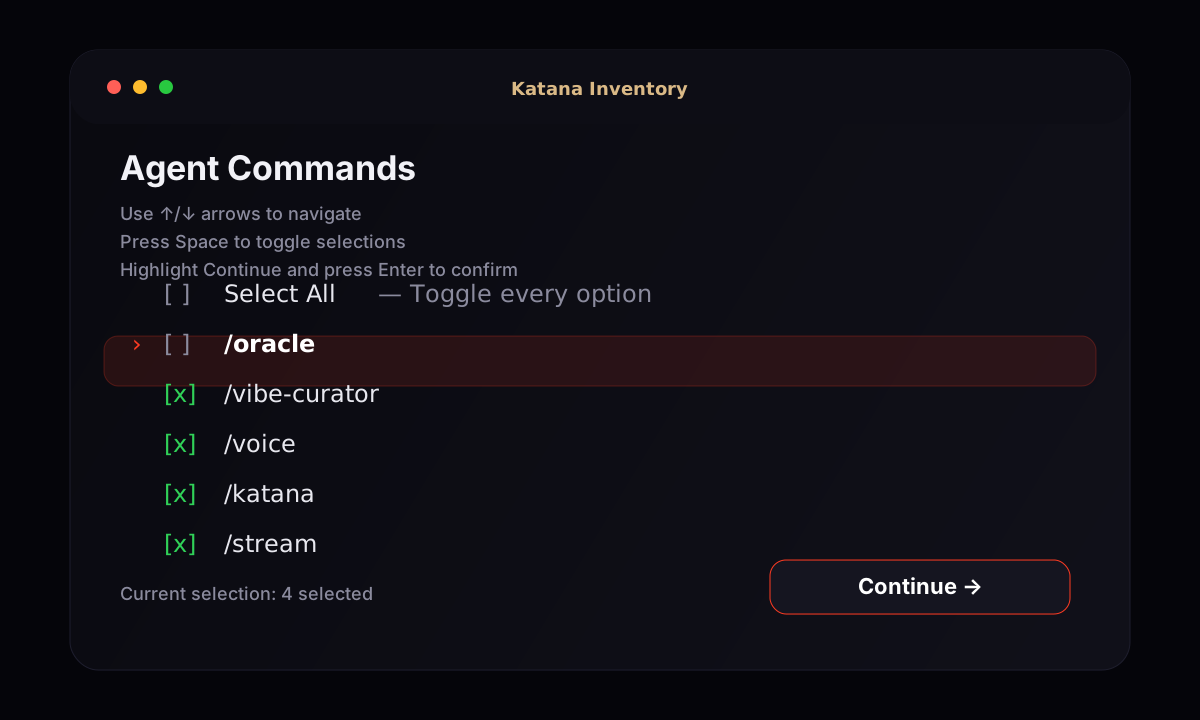
Running katana claude init opens a keyboard-driven installer so you can choose exactly which skill categories and commands land in your project. The installer reads skill content from ~/.katana/memory/skills/ and command files from ~/.katana/commands/.
katana claude init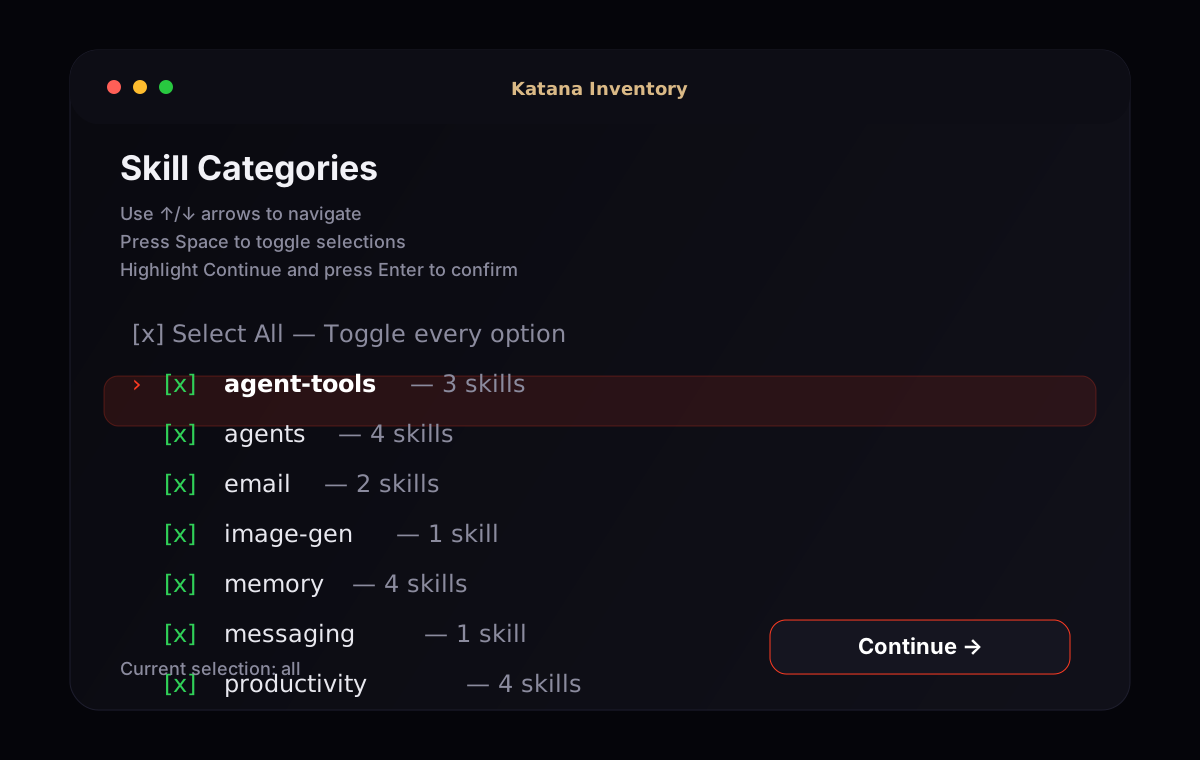
How to use the installer
- 1.Start the installer with
katana claude init. - 2.On Skill Categories, use the arrow keys to highlight rows and press Space to toggle them on or off.
- 3.Move to Continue and press Enter to lock in the selected categories.
- 4.Repeat the same flow in Agent Commands to choose which slash commands get copied from your bundled templates or vault.
- 5.After confirmation, Katana immediately prints install progress while it copies commands, syncs skills, and generates
CLAUDE.md.
.claude/commands/.# Fresh test project
mkdir katana-installer-test
cd katana-installer-test
# Launch the interactive installer
katana claude initDirectory Structure #
Katana manages your AI agent across every project from one central location:
~/.katana/                           Your agent brain (persistent)
├── memory/                          Obsidian vault — shared across ALL projects
│   ├── core/soul.md                 Agent identity & personality
│   ├── core/user.md                 Facts about you
│   ├── work.md                      Running work log
│   └── projects/                    Per-project session history
├── commands/                        Agent personalities
├── settings.json                    Shared default settings
└── AGENT.md                         Shared root agent instructions
When you run katana init in a project, it copies your selected skills and commands out of ~/.katana/ into that project's agent folder.
Katana (Sensei) #
The main orchestrator agent. Not an assistant or chatbot — a personal advisor, business partner, and life strategist. Operates through three principles: Intelligence (synthesizes info across domains), Intuition (reads between the lines, knows the user), and Initiative (surfaces opportunities before being asked).
| Personality | When to use |
|---|---|
| Katana | Morning openings, big-picture advice, astrological insight |
| The Samurai | Major life/business decisions, cutting through noise |
| Wolf of Wall Street | Revenue growth, partnerships, market opportunities |
| Best Friend | When user is stressed, venting, or needs someone to talk to |
| Oracle | Astrological readings, timing decisions, natal chart integration |
Delegates to sub-agents: /oracle, /vibe, /stream, /telegram
Oracle #
Personal astrologer and cosmic life scheduler. Coordinates your Google Calendar around astrological alignments. Provides timing advice for launches, meetings, and decisions based on planetary positions.
| Feature | Description |
|---|---|
| Daily Insights | Astrological guidance based on your natal chart |
| Calendar Sync | Schedule events around favorable cosmic alignments |
| Timing Advice | Best dates for launches, meetings, important decisions |
| Transit Charts | Cross-reference transits with natal placements |
Vibe Curator #
Maintains your taste profile and handles booking/planning. Knows your food, music, travel preferences better than you do.
| Capability | Description |
|---|---|
| Recommendations | Restaurants, bars, music, activities based on your profile |
| Bookings | Reservations, flights, hotels via Playwright MCP |
| Planning | Date nights, weekend itineraries, trip planning |
| Ordering | Food delivery recommendations based on mood and past orders |
Stream #
Real-time news and market intelligence agent. Monitors RSS feeds, financial news, and X/Twitter to keep you informed.
📡 Stream — [date]

🔴 URGENT (if any)
- [headline] — [why it matters]

📊 Markets
- [headline] — [summary]

🤖 AI & Tech
- [headline] — [summary]

💰 Economy
- [headline] — [summary]
Categories: Markets, AI/Tech, Economy, Fed/Government, X Chatter. User can add/remove feeds via conversation.
Memory System #
Your memory vault at ~/.katana/memory/ is a standard Obsidian vault shared across ALL projects:
| File | Purpose |
|---|---|
| core/soul.md | Agent personality, learned behaviors, boundaries |
| core/user.md | Your facts, preferences, current context |
| work.md | Running work log with project summaries |
| projects/ | Per-project session history |
Edit once in Obsidian, it's everywhere. Graph view, full-text search, wikilinks, and tags work automatically.
Outside the memory vault, Katana also keeps reusable command files in ~/.katana/commands/ and shared defaults in ~/.katana/settings.json.
Memory Commands #
katana memory init        # Create memory vault
katana memory status      # Vault health check
katana memory recall "query"  # Search memory from terminal
katana memory projects    # List tracked projects
Shared commands live in ~/.katana/commands/, and shared settings live in ~/.katana/settings.json.
CLI Commands #
| Command | Description |
|---|---|
| katana init | Create a project-local .katana/ agent folder using shared data from ~/.katana/ |
| katana memory init | Create ~/.katana/memory/ and bootstrap shared Katana data |
| katana claude|kilocode|codex|gemini|generic init | Initialize a specific CLI agent using commands, skills, and settings from ~/.katana/ |
| katana memory recall "query" | Search memory from terminal |
All platform init commands pull from the same shared source of truth in ~/.katana/.
There are two important Katana locations: ~/.katana/ is your shared home data folder, while .katana/ inside a project is the optional universal project-specific install created by katana init.
Supported Platforms #
| Command | Creates | For |
|---|---|---|
| katana claude init | .claude/ | |
| katana kilocode init | .kilocode/ | |
| katana codex init | .codex/ | |
| katana generic init | .agent/ |
Flags: --all (install everything), --minimal (bundled essentials only)